Move PBX maintenance off site
Avoid maintaining local PBX hardware while retaining business call routing, users and administration.
Put the PBX function in a managed hosted environment so your SME can add users, route calls and support hybrid working without owning or maintaining a server at the office.

The key buying questions are who manages the platform, how changes are handled, what happens during connectivity failure, how numbers are ported and which devices or integrations the service supports.
Avoid maintaining local PBX hardware while retaining business call routing, users and administration.
A hosted model can suit SMEs whose headcount or working locations change without wanting new server capacity each time.
Support desk, desktop and mobile users without separate phone systems for office and remote staff.
Design, number migration, endpoint setup and ongoing changes can be handled as one managed service.
A managed hosted service is useful when the business wants modern call handling without maintaining the underlying PBX platform itself. Endpoints, user changes and support still need a clear operating model.
Browse Yealink handset options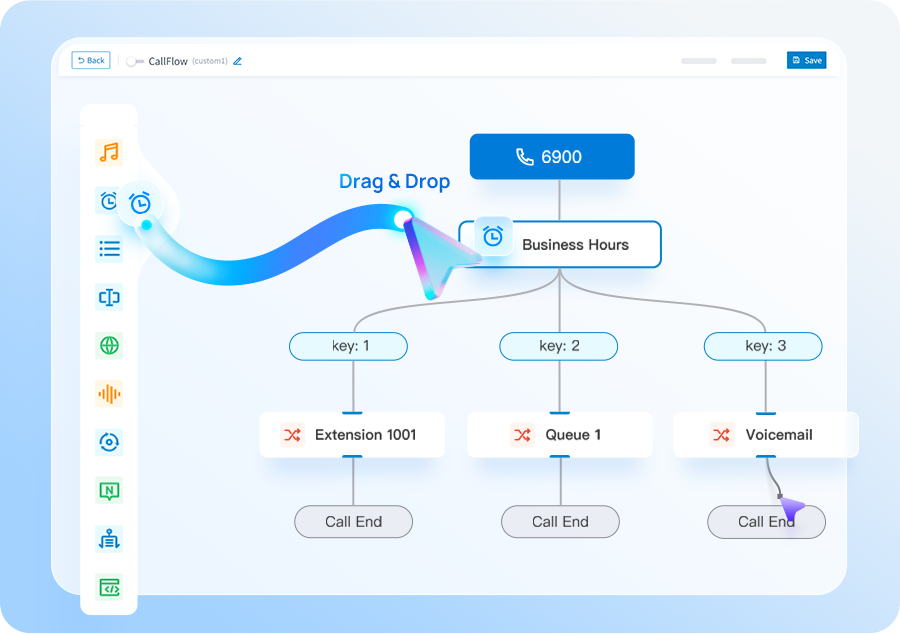
Decide what your team wants to administer and what should remain with the provider.
Document reception, queues, hunt groups, out-of-hours rules and remote-user behaviour.
Check connectivity, failover, device support and integrations before committing.
Build and test the hosted configuration before controlled number porting.
Hosted VoIP is strongest when an SME values low local infrastructure and provider-led management more than having direct control of PBX software or hardware.
You want a managed cloud-hosted phone service, straightforward user changes and support for office, home and mobile users without running PBX equipment locally.
If you want deeper PBX control, deployment choice or a Yeastar-specific feature set, compare a P-Series deployment or Cloud PBX. If you are keeping an existing PBX, compare SIP trunks.
Tell us what you have today and what needs to improve. We’ll explain the options and recommend the setup that best fits your business.
We plan number porting, call flows, connectivity and user training before the system goes live.
We’ll use the information to size the setup and make the first conversation useful.
Use these guides to understand migration, system options and capacity before you get in touch.
Cloud, appliance/software and Yeastar + Teams integration compared by operating model.
See the main stages involved in moving business numbers to a new provider.
Estimate a sensible starting point from concurrent-call demand rather than user count alone.
Short answers to the questions we are most often asked about this type of system.
The phone-system platform is hosted away from your premises and delivered as a managed IP telephony service. Users connect through supported desk phones or apps.
No. Hosted VoIP includes the phone-system platform; SIP trunks normally connect an existing compatible PBX to the public telephone network.
Yes. Depending on the platform, staff can use supported desktop or mobile clients as well as desk phones.
The resilience plan can include alternate connectivity and call-routing measures. The right design depends on how critical inbound and outbound calling is to the business.