Use the right UK number
Choose a geographic number, an appropriate non-geographic range or port an existing business number where portability allows.
Use a UK business number without tying it to a single copper line or office. Route calls to a receptionist, team, mobile users or your VoIP phone system and keep one consistent number for customers.

A virtual business phone number can sit in front of a single user, a reception team, a queue or a wider cloud phone system. The important decisions are the number type, ownership, routing and what happens when nobody answers.
Choose a geographic number, an appropriate non-geographic range or port an existing business number where portability allows.
Route one number to a desk phone, softphone, mobile user, ring group or queue rather than a single physical line.
A well-managed virtual number can move with your phone system, office or working pattern instead of being anchored to one socket.
Set opening times, overflow, voicemail and alternate destinations so the number behaves like a business service rather than a simple divert.
We match the platform and endpoints to the people using them, from fixed desks and reception to hybrid staff and teams moving around a site.
Browse Yealink handset options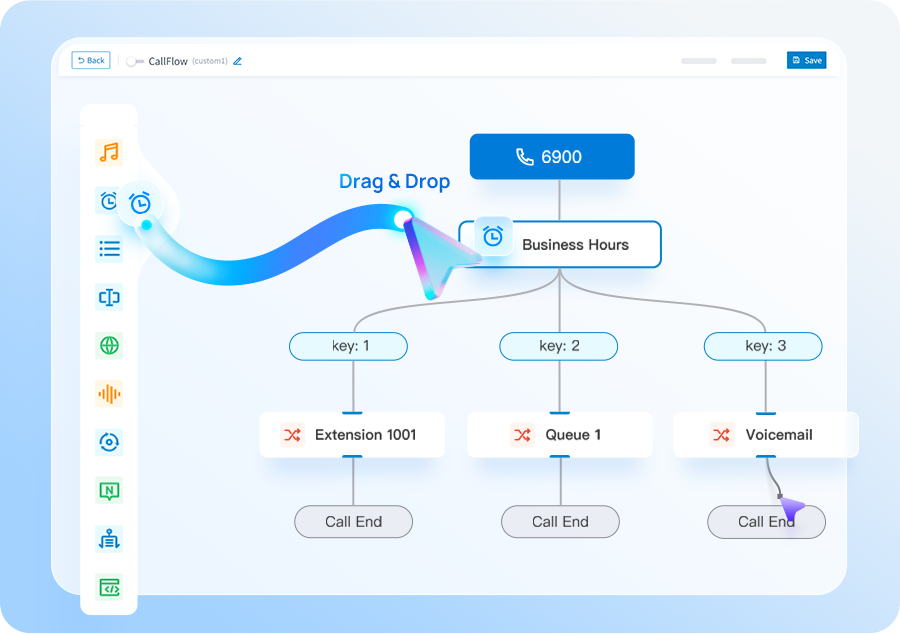
Tell us whether you need a new UK number or want to keep an existing one.
Agree who should answer, in what order and what should happen when the team is busy or closed.
Deliver calls to supported desk phones, desktop or mobile clients, or your wider business VoIP setup.
Check inbound presentation, caller ID, voicemail and fallback before the number becomes customer-facing.
Virtual numbers are useful when the business needs a stable public number while people, locations or devices can change behind it.
You are starting a business, adding a regional presence, replacing a fixed line, supporting hybrid staff or want a main number that can route to several people.
If you need extensions, queues, internal calling and wider administration as well as the number, look at Business VoIP or a business phone system rather than buying number routing in isolation.
Tell us what you have today and what needs to improve. We’ll explain the options and recommend the setup that best fits your business.
We plan number porting, call flows, connectivity and user training before the system goes live.
These pages cover the questions that usually sit next to this decision, without making you work through a glossary first.
Add extensions, queues and user apps when number routing alone is not enough.
Build a complete phone system around your business numbers.
What to check before relying on a free service for customer calls.
We’ll use the information to size the setup and make the first conversation useful.
Use these guides to understand migration, system options and capacity before you get in touch.
Cloud, appliance/software and Yeastar + Teams integration compared by operating model.
See the main stages involved in moving business numbers to a new provider.
Estimate a sensible starting point from concurrent-call demand rather than user count alone.
Short answers to the questions we are most often asked about this type of system.
Choose the type of number you need, decide where calls should be delivered and set up the routing with a provider. If you already own a suitable business number, it may be possible to port it instead of taking a new one.
Yes. Depending on the service design, calls can be delivered to mobile users, softphones, desk phones, groups or queues.
Yes. A virtual business number is commonly used as a main company, department or location number because it is not tied to one physical telephone line.
Often, yes. We check portability before a migration is booked because the process depends on the current provider and number range.
Free services can be useful for testing, but businesses should check number ownership, porting rights, call quality, support, emergency-calling arrangements, privacy and what happens if the free service changes or closes.