Map how people answer
Reception, sales, service, remote staff and executives often need different call handling.
Compare cloud phone systems, VoIP and PBX options for a small office or growing UK business. We design around users, sites, call handling, integrations and resilience rather than selling the same setup to everyone.

Business phone system decisions are easier when you separate the platform choice from the requirements it has to satisfy.
Reception, sales, service, remote staff and executives often need different call handling.
Bring branches and home workers onto one numbering and routing model where it makes sense.
Teams, CRM, call recording and reporting should be requirements-led rather than checkbox features.
Connectivity, failover routing and support ownership matter as much as the handset on the desk.
Reception, sales, service, hybrid staff and shared spaces often need different endpoints and call handling. We design the PBX, Yealink phones and Linkus users as one system so the experience is consistent without making every role identical.
Browse Yealink handset options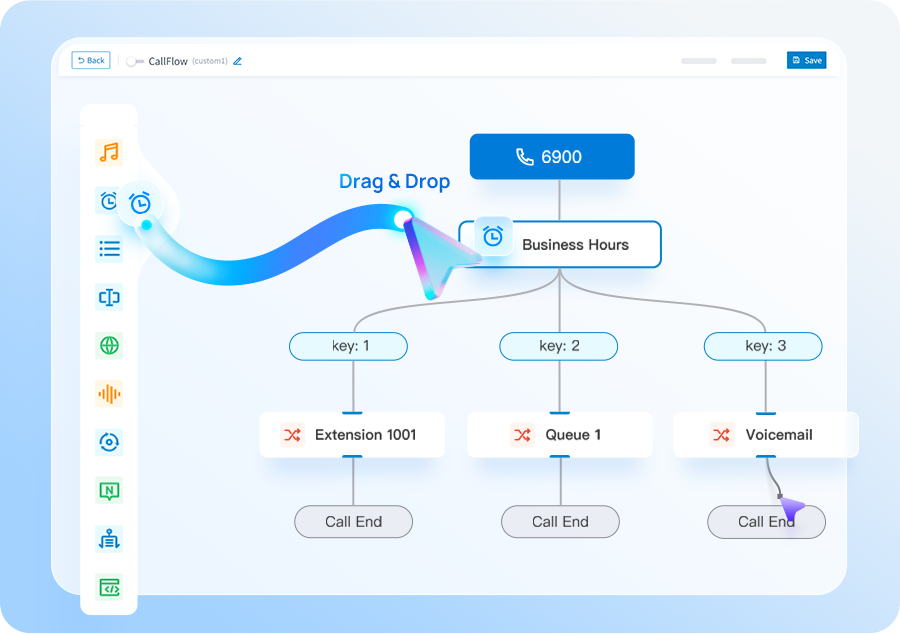
Capture call volumes, user types, sites, integrations and support expectations.
Compare hosted VoIP, cloud PBX, Yeastar cloud, appliance/software and hosted options against those needs.
We confirm licences, hardware, connectivity, porting, setup and support as one bespoke proposal.
Agree testing, number porting, training and support before the new system goes live.
There is no single phone system that suits every SME. The right choice depends on how your team answers calls, where people work, the features you need and how much control you want.
You are replacing an ageing system, opening or consolidating sites, preparing for the PSTN deadline, or simply want to compare options without choosing a technology first.
If you already know you want a specific route, jump directly to Business VoIP, SIP trunks or Yeastar and size that option properly.
Tell us what you have today and what needs to improve. We’ll explain the options and recommend the setup that best fits your business.
We plan number porting, call flows, connectivity and user training before the system goes live.
These pages cover the questions that usually sit next to this decision, without making you work through a glossary first.
Central call control for extensions, queues, routing and multi-site users.
Understand the call-control layer behind modern office phone systems.
Move office and hybrid users onto IP calling with a planned number migration.
We’ll use the information to size the setup and make the first conversation useful.
Use these guides to understand migration, system options and capacity before you get in touch.
Cloud, appliance/software and Yeastar + Teams integration compared by operating model.
See the main stages involved in moving business numbers to a new provider.
Estimate a sensible starting point from concurrent-call demand rather than user count alone.
Bring desk, desktop and mobile users into one joined-up business communications environment.
Short answers to the questions we are most often asked about this type of system.
The best fit depends on user count, working patterns, call handling, integrations and support needs. Small teams often benefit from hosted VoIP because administration and mobility are simpler, but requirements should decide.
Cloud systems reduce local hardware and can simplify remote working. On-premise or self-hosted PBX options can offer more control in specific environments. Neither is universally better.
Yes, depending on platform and licensing. With supported Yeastar P-Series deployments, Microsoft Teams can be integrated as a user interface into the PBX. Teams can be added as a user interface where it helps, while Yeastar remains the phone-system core.
A useful proposal should clearly identify licences, hardware, connectivity, porting, implementation, training and ongoing support.